Local Markets Demo • Pickup & Delivery Ordering Powered by Menu Marketplace
🌟 Local Market Online Ordering Demo
Pizza, subs, snacks, drinks, and grocery basics in one order.
Tri County Market
A polished preview of how Menu Marketplace can power convenience stores, party stores, delis, and local markets with the same smooth ordering engine used for restaurants.
Fresh pizza, subs, wings, and deli
Snacks, drinks, grocery basics, and party add-ons
Pickup or delivery in one checkout
Fresh PizzaMade-to-order SubsSnacks & DrinksPickup or Delivery
Today’s Store Info
📍 123 Market Street, Bay City, MI
⏰ Open today 8:00 AM – 10:00 PM
🚗 Pickup ready in 20–30 min • Delivery available
⭐ Earn rewards on prepared foods and eligible store items
Featured Deal
🍕
Start with fresh foodPizza, subs, wings, deli, and hot case items can use the same modifiers as restaurants.
🥤
Add market itemsCustomers can add drinks, snacks, ice, grocery basics, and party supplies to the same cart.
🚗
Pickup or deliveryPickup notes stay simple. Delivery shows full Street, City, State, ZIP, and delivery notes.
🧾
Store stays organizedFresh food, cooler items, shelf items, and bundles can be routed clearly behind the scenes.
Order from Tri County Market
Hot food, cooler items, shelf items, bundles, pickup, and delivery in one customer flow.
🔎
Same ordering engineCustomer accounts, rewards, cart, checkout, tips, pickup, delivery, receipts, and order confirmation stay consistent with the restaurant system.
Market-specific setupStore categories, prepared foods, retail products, combos, add-ons, specials, stock visibility, prep timing, and availability can be controlled from one Admin Center.
Owner page controlsMarkets and restaurants use the same Pages & Navigation tools to add, hide, rename, and reorder preset pages with owner-controlled text, photos, galleries, and featured sections.
Business owner preview
Shop the market like a restaurant order — then add drinks, snacks, essentials, and party supplies.
The customer menu stays clean above. The lower section explains the owner controls, routing, rewards, delivery zones, and reporting that support the ordering flow.
Sample mixed orderFresh food + market items
🍕Large pizzaMade Fresh
🥤2 Liter sodaGrab & Go
🧊Bag of iceParty
Business Template
Built from the Shared Menu Marketplace Template
This customer page uses the same Menu Marketplace header, footer, checkout, account flow, and admin order as restaurants. Local Markets simply turn on prepared-food, retail, bundle, and stock modules.
Today’s controlsAdmin Center
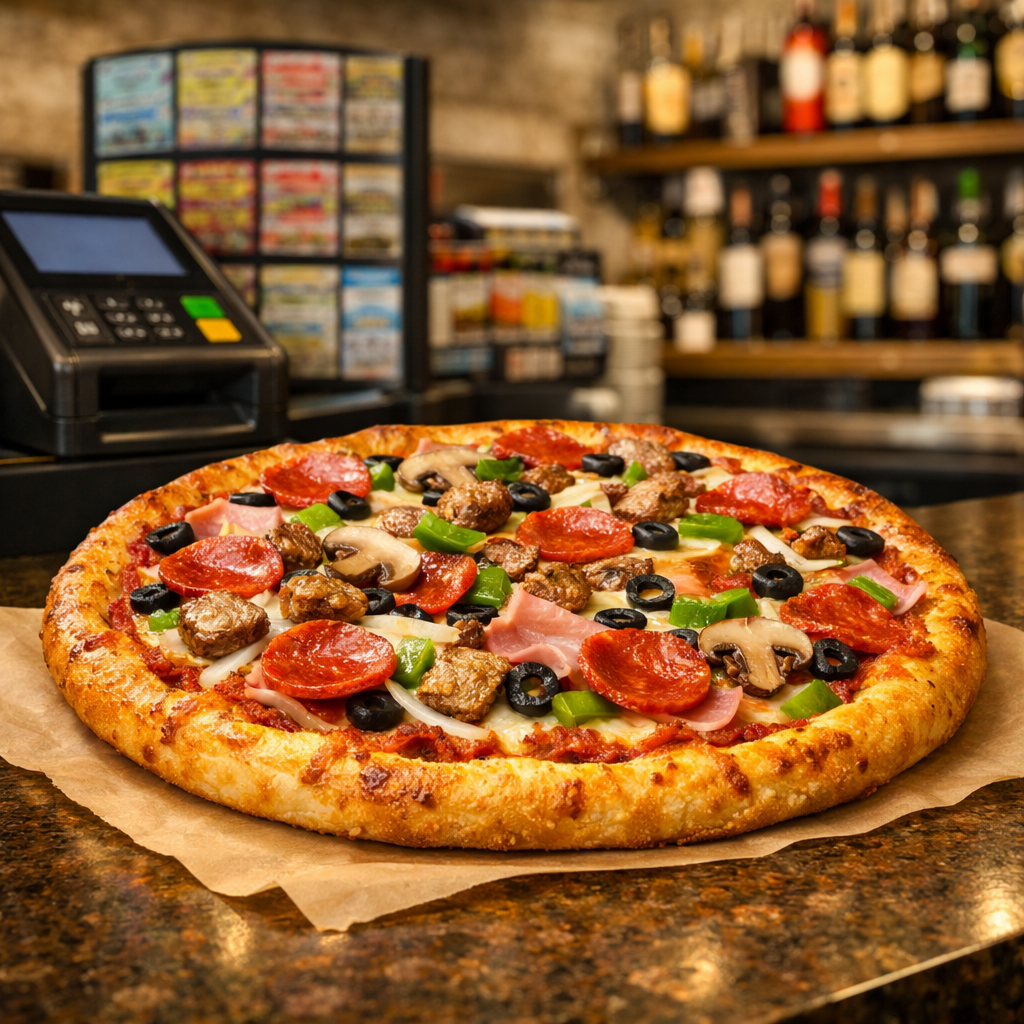
🍕Large Supreme PizzaPrep 25m
🥤2-Liter DrinksIn stock
🎉Party BundleFeatured
🍕
Prepared Food ControlsSet sizes, toppings, modifiers, prep times, special instructions, and kitchen-style tickets for pizza, subs, wings, and deli foods.
🛒
Retail Product ControlsAdd drinks, snacks, candy, grocery basics, ice, household items, and stock visibility for quick customer ordering.
🏷️
Deals & BundlesCreate pizza + 2-liter deals, lunch combos, weekend specials, party packs, and food-plus-market bundles.
Gallery & PagesAdd many store photos, choose which 3–4 appear in the homepage preview, and manage preset pages/navigation without custom coding.
⭐
Rewards & Customer AccountsUse the same sign-in, rewards, receipts, reorder history, saved customer info, and account flow as the restaurant system.
Owner note: This page shows the customer experience and the business tools together, so local markets can understand how ordering, prepared food, retail items, delivery, rewards, and reporting fit into one platform.
Pages & Navigation
Owners can shape the site without losing the Menu Marketplace flow.
Local markets and restaurants can use the same page controls: turn pages on or off, rename navigation links, reorder sections, choose preset layouts, and drop in their own photos and text.
Gallery PageShow interior photos, coolers, food counters, displays, seasonal setups, and store personality.
🏷️
Deals PageFeature pizza bundles, lunch combos, weekend specials, party packs, and limited-time offers.
🥪
Catering / Deli PageUse preset sections for trays, subs, wings, party food, custom requests, and pickup scheduling.
Platform note: The ordering engine stays consistent, while each business can customize public pages, photos, wording, navigation, deals, rewards, and delivery settings from the Admin Center.
Ready-to-show demo polish
A local market can see the full story quickly.
The demo now leads with ordering, search, photos, cart, checkout, and deals, then separates the owner-side explanation below so the page feels clean on desktop and mobile.
⭐Earn rewardsPoints can apply to prepared foods and eligible market items.
🔁Reorder favoritesCustomers can reorder frequent pizza, subs, drinks, and grocery basics.
📍Saved pickup/delivery infoPickup notes and delivery addresses stay attached to the customer account.
🧾Receipts & order historyReceipts, text updates, rewards, and order history stay in one shared account.
Recent favoriteLarge 2-Topping Pizza + 2 Liter
Universal Business Admin
Menu Marketplace Business Admin Center
One Merchant Control Center for every business type. Super Admin controls the default templates, colors, text, photos, modules, and permissions; business owners edit only the areas Menu Marketplace enables for them.
Universal template loaded. Owners learn one control flow; Menu Marketplace turns on the business modules they need. Changes are preview-only until connected to the live database.
Super Admin LayerMenu Marketplace controls the defaults before each business edits its own page.
TemplatesColorsPhotosModulesPermissions
Storefront designerShared template shell
Banner ControlAll hero/banner text, branding mode, and live preview stay together here so owners can see the first impression before saving.
Designer preview
Logo mode uses the same banner branding space as the text headline. Upload a logo, then size it to fit the banner.
Local Markets Demo • Pickup & Delivery Ordering Powered by Menu Marketplace
Pizza, subs, snacks, drinks, and grocery basics in one order.
Tri County Market
A polished preview of how Menu Marketplace can power convenience stores, party stores, delis, and local markets with the same smooth ordering engine used for restaurants.
Open today 8:00 AM – 10:00 PMPickup ready in 20–30 min • Delivery available
Photos / BrandingShared photo controls
Choose a photo, then drag and zoom the preview so the storefront shows the exact focal point the owner wants. The full photo can still open in a lightbox where applicable.
Drag to position
Reusable focal point editorThis same drag/zoom control should be used for hero photos, item photos, gallery thumbnails, specials, category images, and any owner-edited preview photo.
Drag to position
Gallery thumbnail editorThis preview matches the square homepage gallery thumbnail. Customer clicks can still open the full uncropped gallery photo.
Universal Menu Builder DirectionUniversal builder pattern
Use the same builder everywhere.Local Markets should use the approved Restaurant Menu Builder workflow: choose a category, choose an item, edit details/photos/availability, then manage modifiers or simple retail options. Markets add business-specific fields like counter-pull routing, stock status, and age/check-ID placeholders, but the builder pattern should stay shared across Restaurants, Markets, Food Trucks, Bars, and future business types.
Final system direction lockedDo not build a separate Market-only menu builder.
1. Use the Restaurant Builder layoutThe approved Restaurant Menu Builder becomes the universal builder shell for every business type.
2. Turn modules on by business typeMarkets add retail stock, counter-pull routing, prepared foods, delivery eligibility, and age/check-ID placeholders.
3. Save to one real systemCategories, items, modifiers, photos, routing, and availability will save to the shared Menu Marketplace database.
Current item image previewThis is the owner photo workflow preview. Choose or replace a demo image, use the saved current item photo, then adjust zoom/position so the customer menu card shows the image exactly as the owner wants.Demo preview only — production will save uploaded business images, crop position, and menu-card placement to the merchant database.
Prep Time Standard: all prepared-food timing controls use 5-minute dropdown intervals from 5–90 minutes, plus Custom minutes for special cases.
Preview only — live version will save to the database.
2 Liter SodaCooler item • Drinks & Snacks • Counter pull list • In stockActive
Routing previewMarket Supreme Pizza will print on the Kitchen / Prep Ticket. Cooler, shelf, ice, and grocery items route to the Counter Pull List. Bundles can split across both.
Market-specific difference: the same restaurant modifier builder can handle pizza/sub/wings, while retail items use simpler stock, size, and quantity controls. Prep time is now a reusable system control instead of a free-text field.
Specials / DealsDeals, coupons, badges
Build homepage specials, coupon-code deals, menu badges, and market bundles from one clean owner workflow.
Production will connect these controls to saved specials, coupon validation, start/end scheduling, auto-expiration, menu badges, homepage featured deals, and order routing for bundle items.
Ordering / CheckoutSame checkout engine
Cart reviewSame cart, item notes, rewards preview, subtotal, tax, fees, tips, and total format across every business.
Customer fieldsSign in, guest checkout, phone, email, saved addresses, and receipt preview stay in one shared flow.
Business module summaryLocal Markets show prepared food + retail item groups; restaurants show menu categories and modifiers.
Payment handoffSame Authorize.net / online payment path when production integration is connected.
This section should not be redesigned by vertical. Checkout must feel like Menu Marketplace everywhere.
Pickup / DeliveryFulfillment settings
Control how customers choose pickup, local delivery, scheduled times, notes, fees, and store-side routing from one owner-friendly panel.
Owner settingsPickup + delivery live
🍕 Kitchen / Prep TicketPizza, subs, wings, deli food, and hot drinks route to prep.
🥤 Counter Pull ListCooler drinks, chips, ice, grocery, and party supplies route to counter pull.
🧾 One customer receiptThe customer still sees one simple pickup or delivery order.
Delivery zone mapMultiple zones • different fees
Draw delivery areas instead of using one flat radius.In production, owners can click points on the map to draw polygon zones, edit corners, and set a unique delivery fee/minimum for each zone.
Bay City Core$3.99 fee • $15 min
East Side / Essexville$5.99 fee • $20 min
Outer Delivery Zone$7.99 fee • $30 min
MapPolygon toolEdit points
1
2
3
Store
Customer
Address match preview: customer inside Bay City Core uses $3.99 delivery fee and $15.00 delivery minimum.
Customer checkout previewLive wording mockup
Pickup + DeliveryPickup ready in 20–30 minDelivery available • $15.00 minimum • $3.99 fee • 3 miles
Pickup notes, shelf/cooler notes, and vehicle/curbside instructions stay simple. Delivery customers see address fields and delivery notes.
Store
Bay City local zone • 3 miles
Fresh food routes to prep, market items route to the counter pull list, and customers receive one pickup/delivery time.
Production will connect these controls to live fulfillment rules, delivery zones, scheduled order windows, printer routing, driver dispatch, customer checkout fields, and store-specific pickup instructions.
Rewards / CustomersShared customer account flow
Set up the market rewards program, customer sign-in behavior, receipt/reorder tools, and customer messaging from one owner-friendly workflow.
Rewards setupActive program
Production will connect this section to customer accounts, reward balances, expiration rules, eligible item rules, receipt history, reorders, SMS/email receipts, and owner customer reporting.
This is the reusable Pages & Navigation section from the restaurant direction: add, hide, rename, reorder, and fill preset pages with owner text and photos.
Reports / SettingsDaily dashboard preview
Today at a glanceOne simple owner view for orders, sales, fulfillment routing, deals, rewards, and store settings.
Today’s sales$1,284.70+18% vs. last Tuesday
Orders4329 pickup • 14 delivery
Average ticket$29.88Bundles lifted checkout total
Rewards orders3172% tied to customer accounts
Live order dashboardDemo statuses for the market order flow
#1048Pickup • Large 2-Topping Pizza + 2 LiterKitchen prep$24.99
#1049Delivery • Turkey Club Sub, chips, 12-pack popCounter pull$33.46
#1050Pickup • Cappuccino, Hot Chocolate, Mac & CheeseReady soon$18.27
#1051Delivery • Party Night Market PackOut for delivery$48.50
Kitchen / Prep TicketPizza, subs, wings, mac & cheese, hot drinks.18 active items
Counter Pull ListSoda, chips, ice, plates/cups, grocery basics.25 active items
Delivery Zones3 drawn map zones with different fees and minimums.14 delivery orders
Store SettingsTaxes, fees, printers, Telnyx alerts, Authorize.net hooks.Connected later
Production reports will connect to real orders, payment totals, printed tickets, customer accounts, rewards, coupons, delivery zones, and store integrations. This tab stays in the same place for every business type so owner training remains simple.
Live Banner PreviewMatches the customer banner
Local Markets Demo • Pickup & Delivery Ordering Powered by Menu Marketplace
Pizza, subs, snacks, drinks, and grocery basics in one order.
Tri County Market
A private preview of how Menu Marketplace can power local markets with the same smooth ordering engine used for restaurants.
Open today 8:00 AM – 10:00 PMPickup ready in 20–30 min • Delivery available
Keep this window open while editing banner text, logo mode, colors, or image placement. It closes only when you press ×.
Shared Banner Designer
Advanced Banner Designer
Same full banner editor pattern used for Restaurants, Markets, Food Trucks, Bars, and future business pages. This popup keeps the mature banner controls while the Storefront Designer stays clean.
Local Markets Demo • Pickup & Delivery Ordering Powered by Menu Marketplace
Pizza, subs, snacks, drinks, and grocery basics in one order.
Tri County Market
A private preview of how Menu Marketplace can power local markets with the same smooth ordering engine used for restaurants.
Open today 8:00 AM – 10:00 PMPickup ready in 20–30 min • Delivery available
Live matched preview. In production, saving applies these settings to this business profile and template-derived banner area.
Full shared Banner Designer controls. The live preview on the left updates while you edit. The separate floating preview was removed because this designer now includes the matched preview.
 Tri County Market
 View the Menu Marketplace Local Markets demo